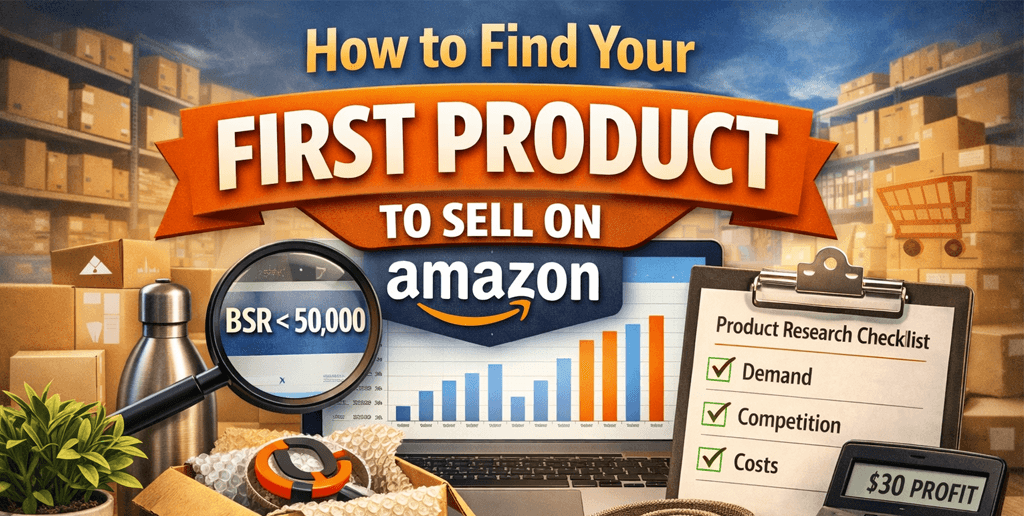
Finding your first product to sell on Amazon is the most important decision you’ll make as a new seller – and the one that determines whether your business becomes profitable or frustrating.
Finding the right product is one of the most important steps in building a profitable Amazon business. If you’re still setting up your foundation, explore our complete Amazon Seller Guides for help with account creation, fees, and fulfillment decisions.
At SwanseaAirport, we work with Amazon and Walmart sellers every day, and one pattern is consistent: successful sellers don’t start with “what’s popular” – they start with structured product research, real demand data, and clear profit logic.
This guide walks you through a repeatable, beginner-friendly framework to find your first Amazon product with confidence. It’s based on real marketplace behavior, seller economics, and practical risk management – not hype or shortcuts.
Why Your First Amazon Product Matters More Than Anything Else
Many new sellers assume they can fix a bad product with better ads, branding, or pricing. In reality:
Ads cannot fix low demand
Branding cannot fix razor-thin margins
Optimization cannot fix intense competition
Your first product sets your learning curve, cash flow, and risk exposure. Choosing wisely lets you:
Validate Amazon as a business model
Learn logistics, PPC, and listings without burning capital
Reinvest profits into scaling rather than recovering losses
Step 1: Start With Demand, Not Ideas
One of the most common beginner mistakes is starting with a product idea instead of market demand.
What Real Demand Looks Like on Amazon
Demand means:
Customers are actively searching
Products are selling consistently, not seasonally spiking
Sales are distributed across multiple sellers, not dominated by one brand
How to Validate Demand (Without Guesswork)
Use Amazon itself as your primary data source:
Search your product idea
Look at Best Seller Rank (BSR) across the top 10 listings
Check if multiple products have:
BSR under ~50.000 in their category
Recent reviews (not all from years ago)
Ongoing stock availability
Insight: If only one listing sells well and the rest barely move, that’s brand dominance – not healthy demand.
Step 2: Choose the Right Product Category for Beginners
Not all Amazon categories are beginner-friendly.
Best Categories for First-Time Sellers
These categories tend to have:
Predictable demand
Lower regulatory risk
Simpler logistics
Recommended:
Home & Kitchen
Tools & Home Improvement
Patio, Lawn & Garden
Pet Supplies
Office Products
Categories to Avoid at the Start
Unless you have experience or certifications:
Grocery & Gourmet Food
Supplements & Beauty
Electronics
Toys (high seasonality + compliance)
Baby products (safety & liability)
Step 3: Apply the “Beginner Product Filter”
Before moving forward, your product should pass all of these filters.
1. Price Range: $20 to $50
Below $20 -> margins disappear after fees and ads
Above $50 -> higher return rates and buyer hesitation
2. Lightweight & Compact
Ideally under 2 lbs
Fits in a shoebox-sized package
Lower FBA fees = higher margin safety
3. No Fragile or Complex Parts
Avoid:
Glass
Electronics
Multiple components that can break or go missing
Rule of thumb: If you’d hesitate to ship it to a friend without bubble wrap anxiety, skip it
Target minimum: 30% net margin after ads Ideal first product margin: 35 – 40%
This margin buffer protects you while learning Amazon Pay Per Click and ranking mechanics.
Step 6: Improve the Product – Don’t Just Copy It
Successful first products are rarely new inventions. They are better versions of existing demand.
Smart Ways to Differentiate
Fix the #1 complaint in reviews
Add a complementary accessory
Improve instructions or packaging
Offer better sizing, material, or durability
Create a clearer use case for a niche audience
Example: Instead of “yoga mat”, position it for “home physical therapy” or “senior balance training”.
This is how small sellers compete with large brands.
Step 7: Validate Suppliers Before You Commit
Before placing any large order:
Order samples from at least 2 – 3 suppliers
Compare quality, packaging, and communication
Confirm lead times and defect handling
Ask about customization and branding options
Never rely on photos alone. Once you’ve identified a promising opportunity, the next step is finding a reliable manufacturer
Step 8: Start Small and Test the Market
Your first product is a learning investment, not a home-run attempt. Many sellers rely on keyword and trend data tools like helium 10 to evaluate search volume and competition.
Smart Launch Strategy
Order a small initial quantity
Launch with conservative PPC
Monitor conversion rate, returns, and feedback
Improve listing based on real customer behavior
Scaling comes after validation, not before.
Common First-Product Mistakes (And How to Avoid Them)
Mistake
Why It Fails
Chasing viral products
Short lifespan, extreme competition
Copying influencers blindly
Their success ≠ your margins
Ignoring fees & ads
Paper profits disappear fast
Over-ordering inventory
Cash flow traps beginners
Competing on price alone
Race to the bottom
Final Thoughts: Think Like a Business Owner, Not a Gambler
Finding your first product to sell on Amazon is not about luck – it’s about structured decision-making.
If you can:
Validate demand
Control risk
Build margin safety
Improve what already works
You give yourself the best possible chance to succeed.
At SwanseaAirport, we believe sustainable Amazon businesses are built with data, discipline, and long-term thinking – not shortcuts. Your first product doesn’t need to be perfect. It just needs to be well-chosen.
Frequently Asked Questions
What is the best product to sell first on Amazon for beginners?
The best first product to sell on Amazon is one with steady demand, low competition, a price between $20 – $50, and healthy profit margins after fees and advertising. Beginner-friendly products are typically lightweight, non-fragile, and do not require certifications or approvals.
How do I know if a product is profitable on Amazon before selling it?
To determine profitability, calculate all costs including product sourcing, shipping, Amazon FBA fees, referral fees, advertising spend, and returns. A strong first product should target at least a 30% net profit margin after ads.
How much money do I need to start selling my first product on Amazon?
Most new sellers can start with $1.000 – $3.000, which typically covers initial inventory, shipping, Amazon fees, and early advertising. Starting with a smaller order helps reduce risk while validating demand.
Amazon FBA vs FBM: Complete Comparison for Sellers in 2026
Selling on Amazon is no longer just about finding the right product – it’s about choosing the right fulfillment strategy. One of the first and most important decisions sellers must make is whether to use Amazon FBA (Fulfillment by Amazon) or FBM (Fulfillment by Merchant)
Choosing between FBA and FBM is one of the most important decisions new sellers face. If you’re building your foundation, explore our complete Amazon Seller Guides hub for step-by-step help with account setup, fees, compliance, and product selection
At SwanseaAirport, we work closely with Amazon and Walmart sellers at every stage – from first-time entrepreneurs to established brands scaling across marketplaces. This guide is designed to give you a clear, honest, and comprehensive comparison of Amazon FBA vs FBM, so you can choose the model that best fits your business goals, margins, and operational capacity
This isn’t a surface-level summary. It’s a practical decision guide you can bookmark, reference, and share
What Is Amazon FBA?
Fulfillment by Amazon (FBA) means Amazon stores your inventory, picks and packs orders, ships products to customers, and handles customer service and returns on your behalf.
How FBA Works
You send inventory to Amazon fulfillment centers
Customers place orders on Amazon
Amazon handles shipping, delivery, returns, and customer support
You pay fulfillment, storage, and service fees
Why Sellers Choose FBA
Prime eligibility (2-day and same-day delivery)
Higher Buy Box win rate
Less operational workload
Amazon-managed customer trust
SwanseaAirport Insight: For US shoppers, Prime is often the default filter. In competitive categories, FBA isn’t just a convenience – it’s a conversion advantage.
What Is Amazon FBM?
Fulfillment by Merchant (FBM) means you store inventory, pack orders, ship them to customers, and handle customer service and returns.
How FBM Works
You list products on Amazon
Orders are routed to your warehouse, 3PL, or dropship partner
You manage shipping, tracking, customer service, and returns
Why Sellers Choose FBM
Lower fees for large, heavy, or slow-moving items
Full control over branding and packaging
Easier integration with multi-channel fulfillment
Better cash flow control for some sellers
SwanseaAirport Insight: FBM is often misunderstood as “manual” or “beginner-level”. In reality, many seven-figure brands use FBM strategically, especially when margins matter more than speed.
Amazon FBA vs FBM: Side-by-Side Comparison
Feature
Amazon FBA
Amazon FBM
Fulfillment
Amazon handles everything
Seller handles fulfillment
Prime Badge
Yes
No (unless Seller Fulfilled Prime)
Buy Box Advantage
Strong
Moderate
Fees
Higher, predictable
Lower, variable
Storage
Amazon warehouses
Seller or 3PL
Customer Service
Amazon
Seller
Returns
Amazon-managed
Seller-managed
Branding Control
Limited
Full
Scalability
Easy
Requires logistics planning
Cost Comparison: FBA vs FBM (Beyond the Obvious)
Many articles stop at “FBA costs more”. That’s incomplete.
Amazon FBA Costs Include:
Fulfillment fees (size + weight based)
Monthly storage fees
Long-term storage penalties
Prep and labeling fees (if applicable)
Amazon FBM Costs Include:
Warehousing or home storage
Shipping (carrier-dependent)
Labor or 3PL fees
Packaging and branded inserts
Customer service resources
SwanseaAirport Analysis: The true cost difference depends on:
Product size and weight
Order velocity
Return rate
Seasonality
For example:
A small, fast-moving item often performs better with FBA
A bulky, slow-moving product may be more profitable with FBM
Seller Fulfilled Prime can close the gap – but with strict requirements
Expert Tip from SwanseaAirport: If you’re launching a new product in a saturated category, FBA often accelerates traction. FBM works best when you already have demand or differentiation.
SwanseaAirport Insight: Advanced sellers often use a hybrid strategy – FBA for bestsellers, FBM for long-tail SKUs. And if you don’t know how to start, you can check how to start selling on Amazon to know more tips about it!
Customer Experience & Brand Control
If brand building matters to you, this section matters.
You sell across Amazon, Walmart, and your own site
Brand experience matters
Best Option for Many Sellers:
👉 Use both. Many successful sellers optimize profitability by mixing FBA and FBM based on SKU performance. Both fulfillment methods are available under the Professional plan. If you’re unsure which plan to choose, read our guide to Amazon seller account types: Individual vs Professional
Expert Perspective: How SwanseaAirport Helps Sellers Decide
At SwanseaAirport, we don’t recommend FBA or FBM blindly. We help sellers:
Model real fulfillment costs
Analyze category competition
Align fulfillment with long-term brand strategy
Prepare for Amazon and Walmart marketplace expansion
Our guides, tools, and product reviews are designed to help sellers make confident, data-driven decisions – not follow trends.
Final Thoughts
Amazon FBA vs FBM isn’t about which model is “better”. It’s about which model is better for your business at this stage.
A well-informed fulfillment decision can:
Improve margins
Reduce operational stress
Increase Buy Box ownership
Support long-term brand growth
If this guide helped clarify your strategy, it’s doing exactly what it was designed to do.
Frequently Question Asked?
What is the main difference between Amazon FBA and FBM?
Amazon FBA allows Amazon to handle storage, shipping, customer service, and returns, while FBM requires the seller to manage fulfillment and customer support independently.
Is Amazon FBA more expensive than FBM?
Amazon FBA typically has higher fees, but it can be more cost-effective for small, fast-moving products due to Prime eligibility and higher conversion rates. FBM may be cheaper for large or slow-moving items.
Does Amazon FBA increase Buy Box chances?
Yes. FBA listings often have a higher chance of winning the Buy Box because Amazon prioritizes fast, reliable fulfillment and Prime-eligible offers.
Amazon Seller Account Types: Individual vs Professional
Choosing the right Amazon seller account is one of the first – and most underestimated – decisions new sellers make. While it may seem like a simple pricing choice, the difference between Amazon Individual and Amazon Professional seller accounts directly affects your margins, scalability, brand control, and long-term growth potential.
Choosing between the Individual and Professional plans is one of the first decisions new sellers face. If you’re just getting started, explore our complete Amazon Seller Guides hub for a step-by-step roadmap covering registration, fees, fulfillment, and product selection.
At SwanseaAirport, we’ve worked with first-time sellers, private-label brands, and multi-channel operators across Amazon and Walmart. One recurring pattern is this: sellers who understand account types early make better operational decisions – and avoid costly switches later.
This guide goes beyond surface-level comparisons. We’ll break down fees, features, real-world use cases, hidden trade-offs, and provide a decision framework you can actually apply in 2026.
What Is an Amazon Seller Account?
An Amazon seller account allows individuals or businesses to list and sell products on Amazon.com. Amazon offers two account types:
Individual Seller Account
Professional Seller Account
Both allow you to sell products, but they are designed for very different seller profiles.
At SwanseaAirport, we often advise sellers to upgrade before hitting volume thresholds. Why?
Because Professional accounts unlock:
Sponsored Ads (critical for ranking and launches)
Brand Registry eligibility
Advanced sales analytics
API access for inventory, repricing, and automation
In other words, this is not just a pricing tier – it’s a business infrastructure decision.
Side-by-Side Comparison (What Actually Matters)
Feature
Individual
Professional
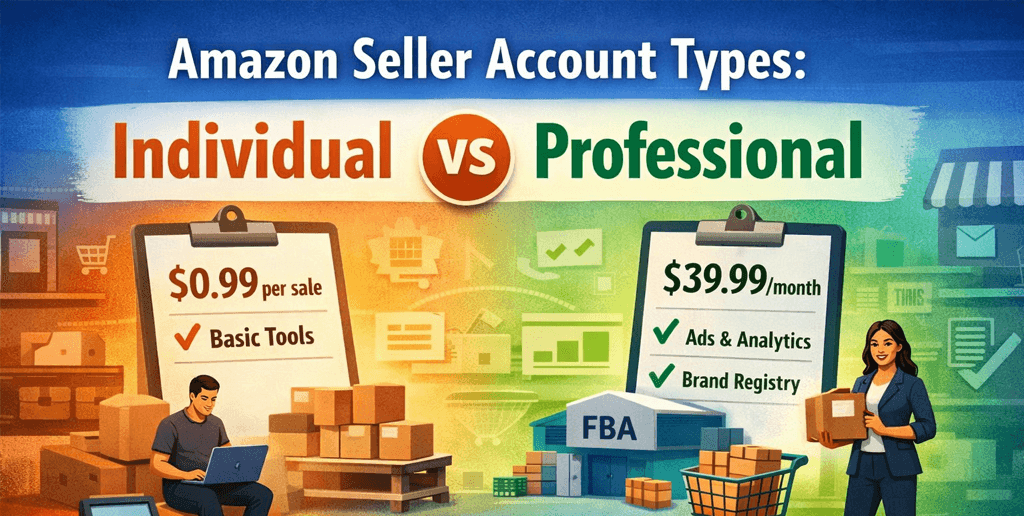
Monthly Fee
$0
$39.99
Per-Item Fee
$0.99/item
$0
Amazon Ads
❌ No
✅ Yes
Buy Box Tools
❌ Limited
✅ Full
Bulk Listings
❌ No
✅ Yes
Brand Registry
❌ No
✅ Yes
Sales Reports
Basic
Advanced
Automation Tools
❌ No
✅ Yes
In addition to the monthly subscription fee, sellers also pay referral and fulfillment fees. See our full Amazon seller fees breakdown and calculator to understand your total cost structure.
Cost Analysis: The Break-Even Point Most Sellers Miss
The commonly cited break-even is 40 items/month, but that’s only considering subscription vs per-item fees.
Here’s the deeper analysis:
Professional sellers often convert better due to:
Buy Box eligibility
Advertising
Faster fulfillment (FBA integration)
Higher conversion rates = lower cost per sale
Ads and data tools help reduce wasted inventory spend
In practice, many sellers become more profitable with a Professional account before hitting 40 monthly sales.
From Amazon’s perspective, Professional accounts signal:
Long-term selling intent
Higher operational standards
Brand-building behavior
While Amazon does not officially rank sellers by account type, access to tools like PPC, Brand Registry, and A+ Content creates indirect ranking advantages that Individual sellers simply can’t replicate.
This is why nearly all successful private-label brands operate Professional accounts – even during early stages. If you’re forming a business entity, see our guide on the Best states to register your Amazon business LLC for tax and compliance insights.
Common Mistakes We See at SwanseaAirport
Based on seller audits and consultations:
Waiting too long to upgrade, missing early ad momentum
Choosing Individual to “save money”, then overspending on inefficiencies
Not aligning account type with business goals
Treating Amazon as a marketplace, not a marketing channel
Account type should reflect where you want your business to be in 6–12 months, not just today.
Which Amazon Seller Account Should You Choose?
Choose Individual if:
You sell casually
Monthly sales stay under 30–40 units
You don’t plan to advertise or build a brand
Choose Professional if:
You aim to scale
You want visibility and control
You plan to sell on Amazon and Walmart
You treat ecommerce as a business
If you’re unsure, Amazon allows you to upgrade at any time, making it reasonable to start Individual – but only with a clear upgrade plan.
Many SwanseaAirport readers sell on multiple marketplaces. Walmart Seller Center, for example, does not offer a “casual seller” tier – every seller operates at a professional level.
If multi-channel growth is your goal, starting with a Professional mindset on Amazon creates consistency across platforms.
About SwanseaAirport
SwanseaAirport is a digital commerce brand providing tools, guides, product reviews, and insights to help sellers succeed on Amazon and Walmart marketplaces. Our content is built from hands-on seller experience, platform analysis, and ongoing research into marketplace policy, advertising, and growth strategies.
We focus on practical decisions that impact real revenue, not generic advice.
Frequently Asked Questions
What is the difference between Amazon Individual and Professional seller accounts?
The Individual account has no monthly fee but charges $0.99 per sale and offers limited tools, while the Professional account costs $39.99 per month and includes advertising, advanced reports, and brand-building features.
When should I switch to an Amazon Professional seller account?
Most sellers should switch once they sell around 40 items per month or earlier if they plan to run ads, use FBA at scale, or build a brand on Amazon.
Can I change my Amazon seller account type later?
Yes, Amazon allows sellers to upgrade or downgrade their account type at any time through Seller Central without losing listings or account history.
How to Start Selling on Amazon in 2026
Selling on Amazon in 2026 is no longer about simply listing a product and waiting for sales. The marketplace has matured into a highly competitive, algorithm-driven ecosystem where data quality, brand trust, and operational excellence determine success
If you’re new to eCommerce, this step-by-step guide will show you exactly how to start selling on Amazon in 2026 – from choosing the right account type to understanding fees and compliance requirements.
For a complete roadmap covering every stage of the journey, explore our Amazon Seller Guides hub, where we break down account setup, product research, fulfillment models, and growth strategies.
At SwanseaAirport, we work closely with Amazon and Walmart sellers, analyzing marketplace trends, product data, and real seller outcomes. This guide is built from that hands-on experience – not recycled advice – to help new sellers enter Amazon the right way in 2026
Whether you are launching your first product or transitioning from another platform, this article will walk you through what actually matters today, what has changed, and how to build a business Amazon rewards long-term
Why Selling on Amazon in 2026 Is Different Than Before
Many guides still describe Amazon as it was in 2018 – 2020. In reality, three major shifts now define selling on Amazon:
1. Amazon Prioritizes Brand Signals Over Listings
Amazon’s algorithm increasingly favors:
Brand Registry enrollment
Complete, structured product data
Consistent off-Amazon brand presence
Low return rates and strong post-purchase metrics
This means brands outperform resellers, even when prices are similar.
2. Advertising Is No Longer Optional
In 2026, Amazon PPC is not a growth lever – it’s table stakes. Successful sellers treat ads as:
A discovery engine for new keywords
A data source for listing optimization
A profitability lever, not just traffic
3. Compliance and Policy Enforcement Are Stricter
From product claims to IP protection, Amazon has tightened enforcement. Sellers who don’t understand compliance risk account suspensions – often without warning
Bottom line: Amazon rewards sellers who operate like real businesses, not side hustles
Step 1: Choose the Right Amazon Seller Account
Before product research or sourcing, you must choose your seller account type
Individual vs Professional Seller (2026 Update)
Individual: No monthly fee, limited tools, not suitable for scaling
Professional: Monthly fee, full access to advertising, reports, and brand tools
👉 Our recommendation at SwanseaAirport: If you plan to sell more than 40 units per month – or run ads – start with a Professional account from day one. If you don’t know where to start, check this Amazon seller account types explained
Step 2: Product Research That Works in 2026 (Not Guesswork)
Most beginners fail because they choose products based on outdated criteria like “low competition” or “high BSR”.
What We Look for at SwanseaAirport
We analyze products using three layers:
1. Demand Quality (Not Just Demand Volume)
Ask:
Is demand stable year-round or seasonal?
Are top listings driven by brand loyalty or price wars?
A product with 30% gross margin on paper often ends up with 10 – 15% net margin. If you don’t know about amazon fees, you should check this Amazon seller fees breakdown and calculator article to know more.
3. Brand-Ability Score
We ask:
Can this product be improved or differentiated?
Can we tell a credible brand story?
Can it expand into a product line later?
Amazon increasingly favors sellers who build brands, not single SKUs.
Step 3: Sourcing Products With Long-Term Risk in Mind
Whether sourcing from the US, China, or elsewhere, risk management is now critical.
Key Sourcing Mistakes New Sellers Make
Choosing factories without compliance documentation
Ignoring packaging and labeling rules
Not securing exclusivity or customization rights
SwanseaAirport Sourcing Framework
We advise sellers to:
Request product compliance documents upfront
Invest in custom packaging (even simple upgrades)
Run small test orders before scaling
In 2026, compliance issues cause more account suspensions than poor sales.
Image quality that communicates benefits instantly
Clear, compliant claims
Why Product Data Quality Is a Ranking Factor
Amazon uses structured data to:
Match products to search queries
Power AI-driven shopping experiences
Reduce customer dissatisfaction
At SwanseaAirport, we see listings with better data completeness outperform competitors, even with fewer reviews.
Step 5: Brand Registry Is No Longer Optional
If you are serious about Amazon in 2026, you need:
A registered trademark
Amazon Brand Registry
Benefits Beyond Protection
Brand Registry unlocks:
A+ Content
Sponsored Brand Ads
Brand Analytics
Better control over listing content
More importantly, Amazon trusts registered brands more.
Step 6: Amazon FBA vs FBM in 2026
FBA (Fulfillment by Amazon)
Best for:
Prime eligibility
Faster delivery
Higher conversion rates
FBM (Fulfilled by Merchant)
Best for:
Oversized or fragile items
Custom or made-to-order products
Sellers with strong logistics operations
👉 Our insight: Many successful sellers know FBA vs FBM comparison and now use a hybrid model – FBA for fast movers, FBM as backup during stockouts.
Step 7: Launch Strategy That Doesn’t Burn Cash
The days of “launch giveaways” are over.
Sustainable Launch Tactics
Controlled PPC campaigns for keyword discovery
Early reviewer programs (where eligible)
External traffic from brand-owned channels
Conversion-optimized listings from day one
A strong launch is about data collection, not aggressive discounting.
Step 8: Advertising Strategy for New Sellers
Amazon PPC in 2026 requires structure.
What New Sellers Should Focus On
Auto campaigns for discovery
Manual exact match for proven keywords
Tight budgets with daily optimization
At SwanseaAirport, we advise new sellers to optimize listings first, then scale ads – not the other way around.
Step 9: Measure What Amazon Actually Cares About
Beyond sales, Amazon tracks:
Order defect rate
Late shipment rate
Return reasons
Customer satisfaction signals
These metrics influence:
Buy Box eligibility
Organic rankings
Account health
Common Mistakes New Amazon Sellers Still Make
Chasing trending products without a brand plan
Ignoring compliance and policy updates
Over-relying on ads instead of listing quality
Treating Amazon as a passive income platform
Amazon rewards operators, not spectators.
Final Thoughts: Is Selling on Amazon in 2026 Still Worth It?
Yes – but only for sellers willing to:
Build real brands
Invest in data, compliance, and systems
Think long-term instead of chasing quick wins
At SwanseaAirport, we believe Amazon is still one of the most powerful digital commerce platforms in the world – but success now belongs to educated, strategic sellers.
If you approach Amazon in 2026 with the mindset of a brand builder, not a shortcut seeker, the opportunity is still very real.
Questions Frequently Asked
Is selling on Amazon still profitable in 2026?
Yes, selling on Amazon can still be profitable in 2026, but success depends on strategy. Profitable sellers focus on brand building, product differentiation, accurate product data, and controlled advertising costs, rather than competing solely on price. Amazon now rewards sellers with strong customer satisfaction metrics, compliant listings, and consistent inventory management. Sellers who treat Amazon as a long-term business – not a side hustle – continue to see sustainable profits.
How much money do I need to start selling on Amazon in 2026?
Most new sellers should plan to invest $2,000 – $5,000 to start selling on Amazon in 2026. This budget typically covers inventory, Amazon seller fees, product samples, shipping, basic branding, and initial PPC testing. Starting with a realistic budget helps avoid cash-flow issues and allows sellers to collect meaningful performance data before scaling.
Do I need an LLC or trademark to sell on Amazon?
You do not need an LLC or trademark to start selling on Amazon, but having both is strongly recommended in 2026. An LLC helps protect personal assets, while a trademark enables Amazon Brand Registry, which unlocks advanced tools like A+ Content, Brand Analytics, and better listing control. Sellers with registered brands are generally favored by Amazon’s algorithm and face fewer listing hijacking issues.
What Is PPC? A Practical, Expert Guide for Amazon and Walmart Sellers
Pay-Per-Click (PPC) advertising is one of the fastest ways to generate traffic, sales, and data in digital commerce – but it’s also one of the easiest ways to lose money if misunderstood. For sellers on Amazon or selling on Walmart Seller Center, PPC is not just an optional marketing channel; it’s a core growth lever that directly affects visibility, ranking, and profitability.
At SwanseaAirport, we work with marketplace sellers who rely on PPC not as a buzzword, but as a measurable business system. This guide explains what PPC is, how it actually works, and how sellers can use it strategically – especially on Amazon and Walmart – without wasting ad spend.
What Is PPC (Pay-Per-Click)?
PPC (Pay-Per-Click) is a digital advertising model where advertisers pay only when a user clicks on their ad. Instead of paying for impressions or exposure, you pay for intent – someone actively engaging with your listing, product, or offer.
In practical terms:
You bid on keywords, products, or placements
Your ad appears in search results or on product pages
You pay only when a shopper clicks, not when the ad is shown
This model is used across platforms like Google Ads, Amazon Ads, Walmart Connect, and social networks – but its strategic role differs significantly between search engines and marketplaces.
PPC in Marketplaces vs Traditional Search Ads
Many sellers assume PPC works the same everywhere. It doesn’t.
Ranking factors: Bid + relevance + conversion history
Traffic intent: High purchase intent
On marketplaces, PPC is not just advertising – it’s a ranking accelerator.
Why PPC Matters So Much for Amazon and Walmart Sellers
Marketplace algorithms reward products that sell consistently. PPC helps trigger that momentum.
Key reasons sellers rely on PPC:
Launch Visibility New listings have no sales history. PPC is often the only way to get immediate exposure.
Keyword Data You Can’t Get Elsewhere PPC search term reports reveal exactly how shoppers describe your product.
Organic Rank Improvement Profitable PPC campaigns often improve organic placement over time.
Defense Against Competitors Without PPC, competitors can advertise directly on your product pages.
Scalable Growth Once a campaign is profitable, budget – not traffic – is the only real limit.
The most common question new PPC sellers ask is how much to spend. Deciding your PPC budget when you’re starting from zero requires a framework that connects your unit economics to your launch objectives – not an arbitrary daily cap.
How PPC Actually Works (Behind the Scenes)
Understanding the mechanics separates strategic advertisers from sellers who “just turn ads on.”
1. Keyword or Placement Targeting
You choose:
Search keywords (e.g., “wireless label printer”)
Product ASINs (competitor or complementary)
Automatic targeting (platform decides)
2. Auction System
Each time a shopper searches:
Advertisers enter a real-time auction
Highest effective bid wins (not always the highest bid)
PPC runs on an auction model. The bidding decisions that determine what you pay per click – keyword bids, match types, bid adjustments, and dynamic bidding settings – have more impact on profitability than almost any other variable in an advertising account.
3. Ad Placement
Your ad may appear:
At the top of search results
Within search results
On competitor product pages
Below the Buy Box
4. Click → Cost → Conversion
You pay when clicked
Profit depends on conversion rate and order value
This is why PPC is not about clicks – it’s about economics.
Key PPC Metrics Sellers Must Understand
Many sellers fail because they focus on the wrong numbers.
Essential metrics that actually matter:
ACOS (Advertising Cost of Sale) Ad spend ÷ ad revenue Measures efficiency
ROAS (Return on Ad Spend) Revenue ÷ ad spend Inverse of ACOS
Conversion Rate (CVR) How well your listing converts traffic
Cost Per Click (CPC) What you pay per click
Search Term Profitability Some keywords deserve budget; others don’t – regardless of volume
At SwanseaAirport, we emphasize profit-weighted decision-making, not vanity metrics.
Running PPC without measuring efficiency is running blind. The efficiency metric PPC sellers use to evaluate campaign performance is Advertising Cost of Sale (ACoS) – the percentage of attributed revenue spent on ads, which tells you whether your campaigns are profitable at the unit level.
Sponsored Display (retargeting and competitor conquest)
Walmart Connect PPC
Sponsored Products
On-site display placements
Off-site traffic integrations (more limited but growing)
Each format serves a different role in a mature ad strategy.
For most Amazon sellers, PPC starts with Sponsored Products. The ad type most sellers start with on Amazon targets keywords directly and places ads in search results and on product detail pages — paying only when a shopper clicks.
Sponsored Brands extends PPC from individual product ads to brand-level placements. When PPC expands from product ads to brand campaigns is a strategic decision that depends on your catalogue size and how prominently you want to appear above competitors in search results.
Sponsored Display goes beyond keyword targeting. PPC that follows buyers beyond the search results page uses audience signals and browsing behaviour to reach shoppers who’ve already shown interest in your category – both on and off Amazon.
Strategic PPC: Beyond “Turning Ads On”
The biggest misconception is that PPC is a set-and-forget tactic.
High-performing sellers:
Separate discovery campaigns from profit campaigns
Harvest search terms weekly
Adjust bids based on margin, not emotion
Pause keywords that don’t justify their cost
Use PPC to test pricing, images, and titles
In this sense, PPC becomes a research engine, not just an ad channel.
Understanding PPC is one thing – running it efficiently is another. The account structure that makes PPC manageable at scale determines how clearly you can read your data, isolate what’s working, and make bid changes without unintended side effects.
Common PPC Mistakes Sellers Make
From reviewing hundreds of accounts, these are the most damaging errors:
Spending aggressively before optimizing listings
Treating ACOS targets as universal
Never reviewing search term reports
Competing on broad keywords without margins
Copying “guru” strategies without context
PPC amplifies whatever foundation you have – good or bad.
Not every click is worth paying for. The keyword exclusions that prevent wasted ad spend on irrelevant search terms is one of the highest-ROI optimisation tasks available – stopping your product from appearing for searches that will never convert saves budget for searches that will.
Is PPC Worth It for Every Seller?
PPC is not magic – and it’s not optional either.
PPC works best when:
Your product solves a clear problem
Your listing converts well
Your margins support advertising
You treat PPC as a system, not a gamble
If those conditions aren’t met, PPC will expose weaknesses quickly.
Beyond keyword-based PPC lies programmatic display advertising. Display-based advertising for sellers who’ve outgrown keyword targeting uses Amazon’s first-party data to reach audiences based on behaviour and purchase history – opening the full funnel rather than just bottom-of-funnel search intent.
Final Thoughts: PPC as a Business Tool, Not a Hack
So, what is PPC really?
For serious Amazon and Walmart sellers, PPC is:
A visibility engine
A data source
A ranking catalyst
A profit lever when managed correctly
PPC is one channel in a larger growth system. Where PPC fits in the full Amazon seller journey – from product selection and launch through to scaling and exit — is covered across our complete Amazon seller guide series.
At SwanseaAirport, we view PPC not as advertising – but as controlled experimentation backed by numbers. Sellers who adopt that mindset don’t just spend on ads; they build predictable, scalable growth.
Frequently Asked Questions (FAQ)
What does PPC stand for?
PPC stands for Pay-Per-Click, an advertising model where advertisers pay only when someone clicks on their ad. In marketplaces like Amazon and Walmart, PPC is used to promote products directly within search results and product pages.
What is PPC advertising and how does it work?
PPC advertising works through an auction-based system. Sellers bid on keywords, products, or placements. When a shopper searches or views a product page, the marketplace determines which ads to show based on bid amount, relevance, and performance history. The seller is charged only when the ad is clicked.
What is the difference between PPC and SEO?
PPC delivers immediate visibility through paid ads, while SEO focuses on organic rankings built over time. On Amazon and Walmart, PPC often supports SEO by increasing sales velocity, which can improve organic ranking indirectly.
Amazon Product Title Best Practices: A Practical, Expert Guide for Sellers
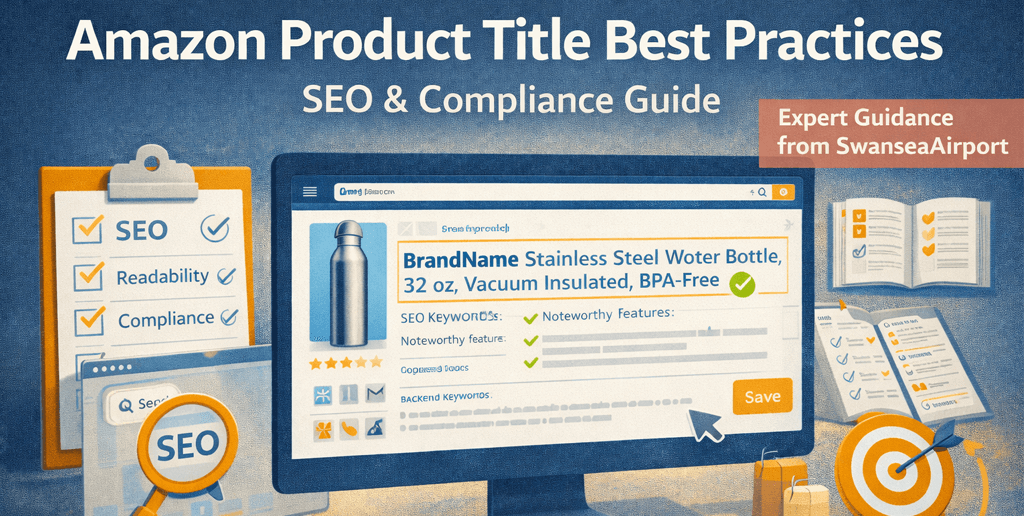
An Amazon product title is not just a label – it is one of the most powerful ranking, relevance, and conversion signals on the platform. Done well, it helps your product surface for the right searches and convinces shoppers to click. Done poorly, it can suppress visibility, reduce click-through rates, or even violate Amazon policy.
This guide explains Amazon product title best practices from an expert, seller-focused perspective – combining marketplace rules, buyer behavior, and SEO principles into a clear, actionable framework.
About SwanseaAirport SwanseaAirport is a digital commerce brand providing tools, guides, product reviews, and insights to help sellers succeed on Amazon and Walmart marketplaces. This article reflects hands-on experience analyzing thousands of Amazon listings across competitive US categories.
Why Amazon Product Titles Matter More Than Ever
Amazon’s search algorithm (A9 / A10) evaluates relevance first. Your product title plays a key role in determining:
Keyword matching for search queries
Click-through rate (CTR) in search results
Customer comprehension before viewing images
Policy compliance and listing health
From an operational standpoint, titles act as a bridge between search intent and purchase confidence.
Your title is the primary signal Amazon uses to decide what searches to show your product for. Why the title carries more ranking weight than any other listing field is rooted in how Amazon’s A9 algorithm processes keyword relevance – placing disproportionate importance on the first 80 characters.
What Makes a “Good” Amazon Product Title?
A strong Amazon product title balances three priorities:
Search relevance (keywords buyers actually use)
Human readability (clarity and scannability)
Policy compliance (category and brand rules)
The mistake many sellers make is optimizing for only one of these.
The title earns the click. Where the title leaves off and the bullet points begin is where you convert curiosity into a purchase decision – five lines to address objections, reinforce value, and handle the questions buyers would otherwise leave to ask in a review.
Amazon Product Title Best Practices (Core Principles)
1. Put the Most Important Information First
Amazon truncates titles on mobile and desktop. Front-load critical attributes such as:
Brand name
Product type
Primary differentiator
This improves both user experience and perceived relevance.
Your title can only hold so many keywords before it reads unnaturally. Where to put keywords that don’t fit in your title is what the backend search terms field is for – 250 bytes of additional indexing coverage that buyers never see but the algorithm reads.
2. Follow Amazon’s Category-Specific Rules
Amazon enforces different title requirements by category, including:
Character limits
Capitalization rules
Allowed symbols
Prohibited promotional phrases
Ignoring these rules can lead to suppressed listings or edits by Amazon.
3. Use Keywords Strategically – Not Aggressively
Effective titles include high-intent keywords, not every keyword you rank for.
Avoid:
Keyword stuffing
Repetition of similar phrases
Unnatural sentence structure
Amazon indexes backend fields and bullet points – your title should remain clean.
Sellers who treat titles as a strategic asset – not an afterthought – consistently outperform competitors in visibility, conversion, and long-term brand trust.
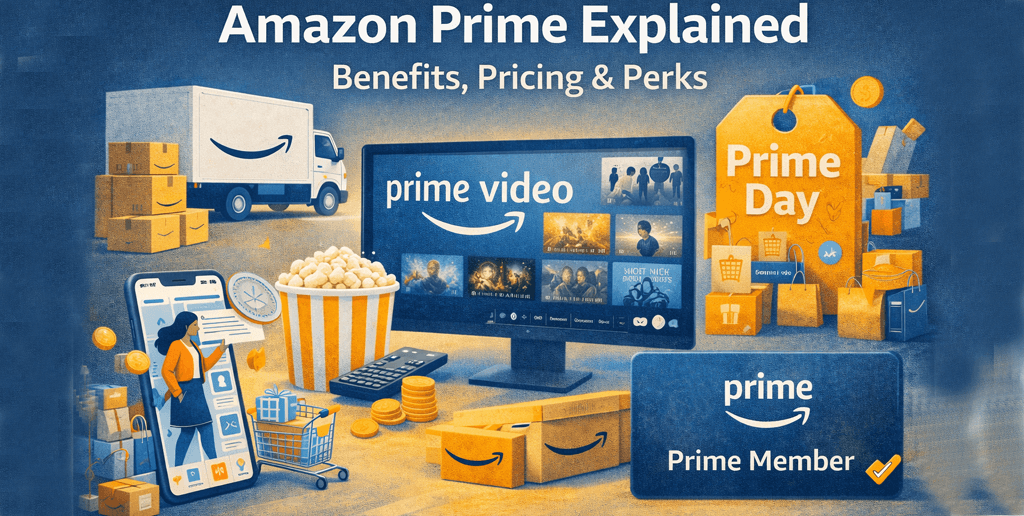
Amazon Prime: A Complete Guide to Membership Benefits, Pricing, and value in the US
Amazon Prime has evolved far beyond a simple free-shipping program. What began as a convenience perk for frequent Amazon shoppers is now a bundled ecosystem that includes streaming entertainment, exclusive shopping events, digital services, and member-only pricing. This guide explains what Amazon Prime is, how it works, how much it costs, and whether it’s worth it for US. consumers today.
What Is Amazon Prime?
Amazon Prime is a paid membership program offered by Amazon that provides subscribers with faster shipping, exclusive shopping benefits, and access to digital content such as Amazon Prime Video, music, and games.
As of today, Prime is positioned as an all-in-one consumer membership, designed to reward loyalty across shopping, entertainment, and everyday spending.
Unlike single-purpose subscriptions, Amazon Prime’s value depends on how often and how broadly you use Amazon’s services.
Amazon Prime Membership: What Do You Get?
An Amazon Prime membership includes benefits across four main categories:
1. Amazon Prime Shopping Benefits
Amazon Prime shopping is still the foundation of the program.
Key benefits include:
Free Same-Day, One-Day, or Two-Day Shipping on millions of eligible items
Free no-rush shipping credits on select orders
Easier returns and faster refunds
Exclusive Prime-only deals and discounts
For households that shop online frequently, shipping savings alone can offset the membership cost.
The Prime badge isn’t something sellers apply for directly. Why most Prime-badged products are fulfilled by Amazon comes down to how FBA hands delivery responsibility to Amazon’s own logistics network — giving Amazon enough confidence to attach its guarantee to your shipment.
2. Amazon Prime Video: Movies, Shows, and Originals
Amazon Prime Video is Amazon’s streaming platform, included at no additional cost with Prime.
It offers:
Thousands of movies and TV shows
Award-winning Amazon Originals (e.g., The Boys, Jack Ryan, Reacher)
Prime Reading (rotating library of eBooks and magazines)
Amazon Music (limited catalog, ad-free)
These features add incremental value, especially for families and media consumers.
Amazon Prime Login: How Access Works
Your Amazon Prime login is the same as your standard Amazon account.
Once logged in:
Benefits are automatically applied at checkout
Prime Video and other services sync across devices
Household members can share some benefits via Amazon Household
There is no separate Prime account – everything is tied to your Amazon credentials.
How Much Is Amazon Prime in the U.S.?
A common question is: how much is Amazon Prime?
As of the most recent pricing:
$14.99 per month, or
$139 per year
Discounted plans are available for:
Students
Qualifying government assistance recipients
Amazon also offers a 30-day free trial, allowing users to test the service risk-free.
The two-day delivery promise is Prime’s central value proposition – but what happens when Prime’s two-day promise breaks down during high-demand periods is a common enough experience that Amazon has a formal compensation process for it.
Amazon Prime Movies: Is the Library Worth It?
Amazon Prime movies include a mix of:
Blockbuster films
Indie releases
Older catalog titles
Amazon-exclusive productions
While not every new release is free, Prime Video excels as a value-add streaming service, particularly for viewers who already shop on Amazon.
Is Amazon Prime Worth It? An Expert Perspective
From an analytical standpoint, Amazon Prime is most valuable for:
Frequent Amazon shoppers
Families or multi-user households
Consumers who want shopping + streaming in one subscription
Prime Day deal hunters
It may be less valuable for:
Infrequent online shoppers
Users who already subscribe to multiple streaming services
Consumers who prefer in-store shopping
The real value of Prime lies in habitual use, not occasional access.
Amazon Prime is no longer just a convenience – it’s a consumer ecosystem. For U.S. users who shop online regularly and enjoy digital entertainment, Prime remains one of the most comprehensive memberships available.
The Prime badge is one lever among many. Everything sellers need to know beyond the badge itself – from choosing a fulfilment model to managing inventory through peak demand – is covered across our full Amazon seller guide series.
Rather than asking whether Prime is “cheap” or “expensive”, the better question is: Do you use Amazon often enough to unlock its full value?
For millions of Americans, the answer is still yes.
Frequently Questions Asked
What is Amazon Prime?
Amazon Prime is a paid membership that provides free fast shipping, access to Amazon Prime Video, exclusive shopping deals, Prime Day discounts, and digital benefits like Prime Gaming and Amazon Photos.
How much is Amazon Prime in the U.S.?
Amazon Prime costs $14.99 per month or $139 per year. Discounted memberships are available for students and eligible government assistance recipients.
Is Amazon Prime Video included with membership?
Yes. Amazon Prime Video is included at no extra cost with a Prime membership, although some movies and premium channels require additional purchases or subscriptions.
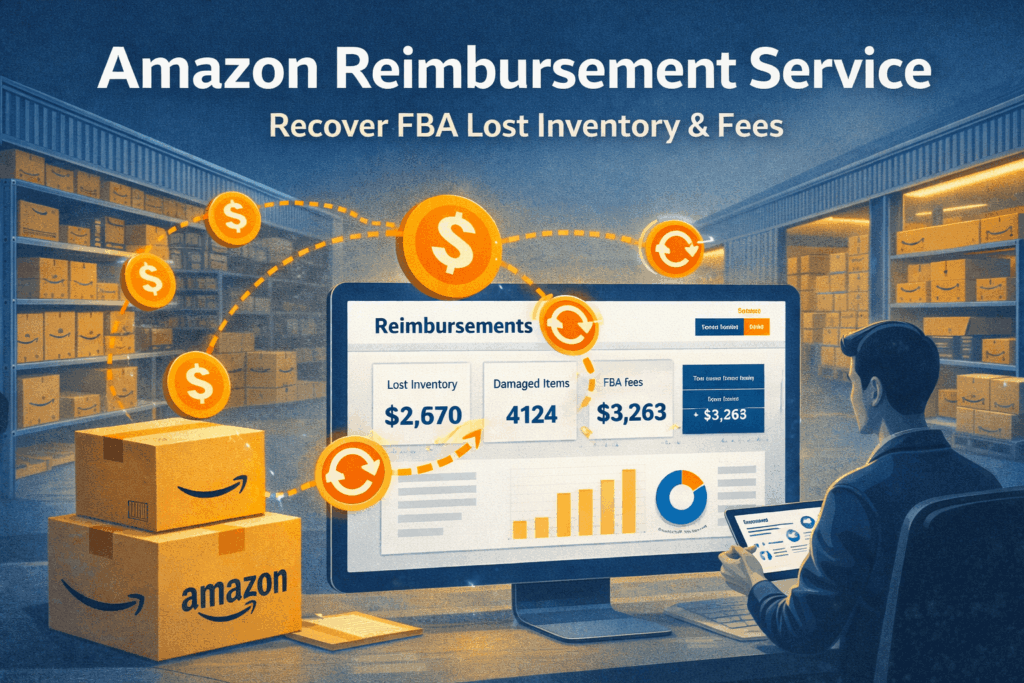
Amazon Reimbursement Service: A Complete, Expert Guide for FBA Sellers
Amazon FBA simplifies fulfillment, but it does not eliminate errors. Lost inventory, damaged units, incorrect returns, and fee miscalculations happen every day – often without sellers noticing. An Amazon reimbursement service exists to recover money Amazon owes sellers when these issues occur.
This guide explains what Amazon reimbursement services are, how they work, what they can (and cannot) recover, and how experienced US sellers use them as part of a disciplined FBA financial strategy – not a shortcut or loophole.
What Is an Amazon Reimbursement Service?
An Amazon reimbursement service identifies errors in Amazon’s fulfillment, returns, and inventory handling processes, then files reimbursement claims on behalf of sellers in accordance with Amazon’s policies.
These services focus on situations where Amazon has:
Lost inventory
Damaged products in fulfillment centers
Incorrectly processed customer returns
Failed to reimburse sellers after confirmed issues
Charged incorrect FBA or referral fees
The goal is not to dispute legitimate charges, but to recover funds Amazon itself acknowledges are owed.
Why Amazon Reimbursements Matter for FBA Sellers
For most sellers, reimbursement losses are small on a per-unit basis – but significant at scale.
From an operational standpoint:
Errors compound over time
Manual audits are time-consuming
Seller Central data is complex and fragmented
Many sellers underestimate how much money is left unrecovered simply because issues go unnoticed or claims expire.
Incorrect product dimensions or weights can result in:
Overcharged fulfillment fees
Ongoing margin erosion
Some reimbursement services also identify historical fee discrepancies and assist with corrections.
How an Amazon Reimbursement Service Works
Step 1: Data Analysis
The service reviews Seller Central reports, including:
Inventory adjustments
FBA customer returns
Reimbursement history
Fee previews and actual charges
This analysis identifies discrepancies Amazon may not have resolved automatically.
Step 2: Claim Submission
Claims are submitted following Amazon’s official reimbursement policies, using:
Case-specific evidence
Report references
Clear documentation
Legitimate services do not spam Amazon or violate support protocols.
Step 3: Follow-Up and Resolution
Amazon may:
Approve reimbursement
Request additional information
Deny claims with explanation
A professional service manages follow-ups while keeping sellers informed.
What Amazon Reimbursement Services Do Not Do
To set realistic expectations, reimbursement services:
Do not bypass Amazon policies
Do not recover money Amazon does not owe
Do not guarantee approval of every claim
Do not replace proper inventory management
They are recovery tools – not revenue generators.
Manual vs Automated Reimbursement Recovery
Manual Reimbursement Audits
Pros:
Full control
No service fees
Cons:
Extremely time-consuming
Easy to miss deadlines
Requires deep knowledge of Amazon reports
Automated Reimbursement Services
Pros:
Continuous monitoring
Time savings
Higher recovery consistency
Cons:
Percentage-based fees
Requires account access trust
For most mid-to-large sellers, automation offers a better cost-benefit tradeoff.
How Much Money Can Sellers Recover?
Recovery amounts vary widely depending on:
Monthly sales volume
Inventory turnover
Product size and value
Length of selling history
Industry observations suggest reimbursement recovery often equals a small but meaningful percentage of FBA revenue – enough to materially impact net profit over time.
Compliance, Security, and Amazon Policy Considerations
Reputable reimbursement services:
Use read-only or limited Seller Central access
Follow Amazon’s communication rules
Avoid policy-violating claim tactics
Sellers should avoid services that promise guaranteed recoveries or encourage aggressive claim behavior, as this can risk account health.
Who Benefits Most from Amazon Reimbursement Services?
These services are particularly valuable for:
FBA sellers with consistent monthly volume
Sellers managing multiple ASINs
Brands with long sales histories
Operators who prioritize financial accuracy
Smaller sellers may prefer manual audits until volume justifies automation.
Choosing the Right Amazon Reimbursement Service
Experienced sellers evaluate services based on:
Transparency in reporting
Clear fee structures
Policy-compliant processes
Data security standards
Quality of support and documentation
The best services operate quietly and systematically – not aggressively.
Expert Perspective: Why Reimbursements Are an Operations Issue
From an expert standpoint, reimbursement recovery is not about “gaming Amazon“. It is about:
Financial discipline
Margin protection
Accurate accounting
Amazon FBA is highly efficient – but not infallible. Professional sellers treat reimbursements as a routine audit function, similar to reconciling invoices or inventory counts.
Final Thoughts
An Amazon reimbursement service helps sellers recover money they are legitimately owed due to FBA errors. While not every seller needs one immediately, it becomes increasingly valuable as operations scale.
Reimbursements are one part of the FBA operational system. Where reimbursements fit in the broader FBA operations picture – alongside inventory management, fulfilment decisions, and account health – is covered across our full Amazon seller guide series.
Used correctly, reimbursement services don’t replace good business practices – they reinforce them. For serious Amazon sellers in the US market, they represent a practical safeguard against silent profit leakage.
Frequently Questions Asked
What is an Amazon reimbursement service?
An Amazon reimbursement service helps FBA sellers recover money Amazon owes them due to lost inventory, damaged items, incorrect returns, or miscalculated FBA fees, following Amazon’s official policies.
Is Amazon reimbursement automatic?
Amazon does issue some reimbursements automatically, but many valid cases are missed. A reimbursement service continuously audits your account to identify unresolved or expired claims.
How far back can Amazon reimbursements be claimed?
Time limits vary by case type (often 9–18 months). Missed deadlines are one of the biggest reasons sellers lose reimbursement eligibility.
Helium 10 Review: An In-Depth, Practical Evaluation for Amazon Sellers
Helium 10 is one of the most widely used software platforms in the Amazon seller ecosystem. Designed as an all-in-one toolkit, it supports product research, keyword optimization, listing management, advertising insights, and business analytics. But popularity alone doesn’t make a tool worth using.
This Helium 10 review takes a practical, experience-driven look at what the platform does well, where it falls short, and who it is best suited for – so Amazon sellers can make an informed decision based on real operational needs, not hype.
What Is Helium 10?
Helium 10 is a cloud-based Amazon seller software suite that combines multiple tools into a single platform. It is primarily used for:
Product and market research
Keyword discovery and tracking
Listing optimization
Competitive analysis
Operational and profitability insights
The platform supports Amazon sellers operating in the US marketplace and internationally, making it popular among private-label brands, agencies, and data-driven sellers.
Who Helium 10 Is Designed For
Helium 10 is best suited for:
Private-label Amazon sellers
Sellers launching or scaling multiple ASINs
Brands managing large catalogs
Agencies managing multiple client accounts
Sellers who rely on data-driven decision-making
While beginners can use Helium 10, its full value becomes clearer as a business grows more complex.
Core Features Reviewed in Real-World Use
1. Product Research Tools
Helium 10’s product research tools are designed to help sellers evaluate demand, competition, and revenue potential.
Experienced sellers use these tools as a filter, not a final decision-maker.
2. Keyword Research & SEO Optimization
Keyword tools are one of Helium 10’s strongest areas.
What stands out:
Large keyword databases
Search volume trends over time
Competitor keyword reverse lookups
Keyword ranking tracking
For US-based sellers focused on Amazon SEO, these tools help build listings that align with how customers actually search.
Expert insight: Helium 10 is most effective when keyword data is combined with listing conversion optimization – not used in isolation.
3. Listing Optimization Tools
Helium 10 offers structured tools for optimizing titles, bullet points, and backend keywords.
Benefits:
Helps maintain keyword coverage consistency
Reduces missed indexing opportunities
Useful for teams managing multiple listings
However, strong copywriting and compliance knowledge are still required. Tools support optimization-they don’t replace expertise.
4. Keyword & Market Tracking
Tracking tools allow sellers to monitor:
Keyword ranking changes
Market trends
Competitor movement
This is particularly useful after:
Listing updates
PPC strategy changes
Price or image testing
The ability to track performance over time adds strategic value beyond initial research.
5. Operations & Business Insights
Helium 10 includes tools for:
Profitability tracking
Inventory forecasting
Refund and return insights
While not a full accounting system, these tools help sellers identify operational inefficiencies early- especially useful for FBA sellers managing cash flow.
Accuracy and Data Reliability
No third-party Amazon tool has perfect data. Helium 10 estimates are based on algorithms, not direct access to Amazon’s internal sales numbers.
In practice:
Trends and relative comparisons are reliable
Exact revenue numbers should not be treated as absolute truth
Experienced sellers validate Helium 10 insights using multiple data points, including Seller Central reports.
Ease of Use and Learning Curve
Helium 10 offers extensive features, which means:
Beginners may feel overwhelmed initially
Advanced users appreciate the depth
The platform includes tutorials, documentation, and training resources, but users still need time to learn how tools connect strategically.
Pricing and Value Consideration
Helium 10 is not the cheapest Amazon software available. Its value depends on:
How many tools you actively use
Your sales volume
The complexity of your operation
For sellers running multiple ASINs or brands, the cost is often justified by time savings and improved decision-making.
Strengths and Weaknesses Summary
Strengths
Comprehensive all-in-one platform
Strong keyword and SEO tools
Scales well with growing businesses
Widely adopted and continuously updated
Weaknesses
Can feel complex for beginners
Data estimates require interpretation
Some tools overlap for smaller sellers
How Helium 10 Compares to Other Amazon Tools
Helium 10 stands out for breadth rather than specialization. While some tools may outperform it in narrow areas (such as PPC or accounting), few platforms match its overall ecosystem.
For sellers who prefer managing most workflows in one place, Helium 10 is a practical choice.
Is Helium 10 Worth It?
From an expert perspective, Helium 10 is best viewed as a decision-support system, not a shortcut to success.
It is worth the investment if:
You rely on data to guide product and SEO decisions
You manage multiple listings or brands
You want operational visibility beyond Seller Central
It may be less suitable if:
You sell only one or two products
You prefer manual research
You don’t plan to use advanced features
Conclusion
Helium 10 is a mature, well-rounded platform that supports nearly every stage of the Amazon selling journey. Its real value lies not in any single tool, but in how its data, tracking, and optimization features work together.
For serious Amazon sellers in the US market, Helium 10 remains one of the most practical and scalable software solutions available – provided it is used thoughtfully and strategically.
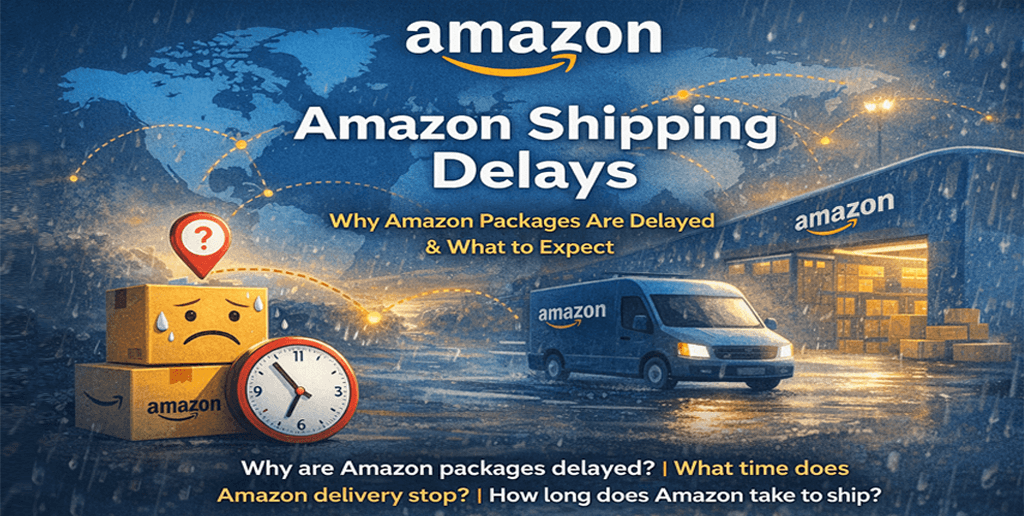
Amazon Shipping Delays: Why Amazon Packages Are Delayed and What You Can Expect
Amazon is known for fast, reliable delivery – but even the world’s largest e-commerce platform experiences shipping delays. Whether you are a customer waiting on an order or a seller managing customer expectations, understanding Amazon shipping delays is essential.
This article explains why Amazon packages are delayed, how long Amazon takes to ship, and what time Amazon delivery stops, while also offering expert insights into how Amazon’s logistics system actually works. The goal is not just to explain delays, but to help readers make informed decisions and reduce frustration.
What Are Amazon Shipping Delays?
An Amazon shipping delay occurs when an order does not arrive within the estimated delivery window shown at checkout or in the tracking dashboard. Delays can affect:
Prime and non-Prime orders
Amazon-fulfilled (FBA) and seller-fulfilled (FBM) shipments
Domestic and international deliveries
While delays may feel random, they usually result from predictable logistical, operational, or external factors.
Understanding why delays happen requires looking at Amazon’s delivery ecosystem, not just the final mile.
1. High Order Volume and Peak Seasons
Amazon handles millions of orders per day. During high-traffic periods – such as Prime Day, Black Friday, Cyber Monday, and holidays – volume can exceed forecasted capacity.
Even with advanced automation, sudden spikes can cause:
Warehouse processing backlogs
Temporary carrier shortages
Longer fulfillment times
This is one of the most common answers to why Amazon packages are delayed, even for Prime members.
Amazon uses a network of fulfillment centers worldwide, but not all products are stored everywhere.
Delays occur when:
Inventory must be transferred between warehouses
A fulfillment center is temporarily understaffed
Automation systems slow down due to maintenance or errors
These internal delays often happen before a package is even handed to a delivery carrier.
3. Carrier and Last-Mile Delivery Issues
Amazon relies on a mix of:
Amazon Logistics
USPS
UPS
FedEx
Local delivery partners
Problems such as traffic congestion, driver shortages, incorrect addresses, or failed delivery attempts can all delay packages – especially during the “last mile” which is the most complex part of delivery.
Even when Amazon ships on time, carriers may pause or reroute deliveries for safety reasons. These delays are usually unavoidable and affect all logistics providers, not just Amazon.
5. International Shipping and Customs Delays
For cross-border orders, additional factors apply:
Customs inspections
Import documentation checks
Duties and tax processing
Country-specific regulations
International shipping delays are often longer and less predictable than domestic ones.
How Long Does Amazon Take to Ship?
The answer depends on order type, fulfillment method, and location.
Typical Amazon Shipping Timeframes
Amazon Prime: Same-day, one-day, or two-day delivery (after dispatch)
Non-Prime: 3–7 business days
International Orders: 7–21 business days (or longer in some cases)
It’s important to note that shipping time starts after the item ships, not when the order is placed. Processing time inside the warehouse can add 1–3 days before shipping begins.
What Time Does Amazon Delivery Stop?
Amazon deliveries typically occur between 8:00 a.m. and 10:00 p.m. local time, though this can vary.
Factors that influence delivery cutoff times include:
Local delivery regulations
Carrier schedules
Residential vs. commercial addresses
Urban vs. rural locations
In some areas, especially during peak seasons, Amazon deliveries may arrive as late as 10:00 p.m. This surprises many customers but is standard practice in high-density regions.
Are Amazon Shipping Delays Becoming More Common?
From an industry perspective, delays are not necessarily more frequent – but customer expectations are higher.
Amazon has:
Shortened promised delivery windows
Expanded same-day and next-day services
Increased reliance on local delivery partners
As delivery promises become faster, even small disruptions feel more significant. A one-day delay today feels larger than a three-day delay did a decade ago.
How Amazon Tries to Prevent Shipping Delays
Amazon invests heavily in logistics optimization, including:
Predictive demand forecasting
Regional inventory placement
Robotics and automation
Proprietary delivery fleets
AI-driven route optimization
Account Health
Despite these efforts, no logistics system can fully eliminate delays – especially at Amazon’s scale.
Understanding shipping delays helps sellers protect both revenue and reputation.
Frequently Asked Questions
Why are Amazon packages delayed even with Prime?
Prime guarantees fast shipping, not immunity from logistics disruptions. Weather, carrier issues, and volume spikes can still cause delays.
How long does Amazon take to ship after ordering?
Most orders ship within 1 – 3 days, depending on stock availability and fulfillment method.
What time does Amazon delivery stop at night?
Typically by 10:00 PM, though this varies by location and carrier.
Privacy Preference Center
Your Privacy
Strictly Necessary Cookies
Targeting Cookies
Performance Cookies
Social Media Cookies
Functional Cookies
Your Privacy
When you visit any website, it may store or retrieve information on your browser, mostly in the form of cookies. This information might be about you, your preferences or your device and is mostly used to make the site work as you expect it to. The information does not usually directly identify you, but it can give you a more personalized web experience. Because we respect your right to privacy, you can choose not to allow some types of cookies. Click on the different category headings to find out more and change our default settings. However, blocking some types of cookies may impact your experience of the site and the services we are able to offer.
More information
Strictly Necessary Cookies
Always Active
These cookies are necessary for the website to function and cannot be switched off in our systems. They are usually only set in response to actions made by you which amount to a request for services, such as setting your privacy preferences, logging in or filling in forms. You can set your browser to block or alert you about these cookies, but some parts of the site will not then work. These cookies do not store any personally identifiable information.
Targeting Cookies
These cookies may be set through our site by our advertising partners. They may be used by those companies to build a profile of your interests and show you relevant adverts on other sites. They do not store directly personal information, but are based on uniquely identifying your browser and internet device. If you do not allow these cookies, you will experience less targeted advertising.
Performance Cookies
These cookies allow us to count visits and traffic sources so we can measure and improve the performance of our site. They help us to know which pages are the most and least popular and see how visitors move around the site. All information these cookies collect is aggregated and therefore anonymous. If you do not allow these cookies we will not know when you have visited our site, and will not be able to monitor its performance.
Social Media Cookies
These cookies are set by a range of social media services that we have added to the site to enable you to share our content with your friends and networks. They are capable of tracking your browser across other sites and building up a profile of your interests. This may impact the content and messages you see on other websites you visit. If you do not allow these cookies you may not be able to use or see these sharing tools.
Functional Cookies
These cookies enable the website to provide enhanced functionality and personalisation. They may be set by us or by third party providers whose services we have added to our pages. If you do not allow these cookies then some or all of these services may not function properly.