
Amazon PPC success isn’t just about finding the right keywords – it’s equally about eliminating the wrong ones.
A disciplined negative keywords strategy is one of the fastest, most controllable ways to reduce wasted ad spend, stabilize ACoS, and increase profitability across Amazon Sponsored Products, Sponsored Brands, and Sponsored Display campaigns. Yet most sellers either underuse negatives or apply them incorrectly, silently leaking budget every day.
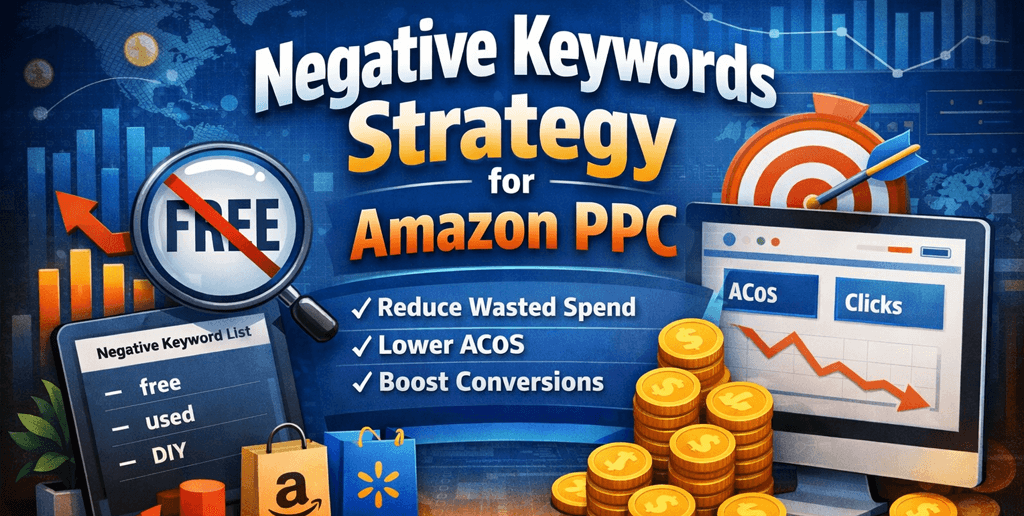
In this guide, SwanseaAirport breaks down a professional, data-driven negative keyword strategy used by experienced Amazon advertisers. We’ll cover not just what negative keywords are, but when, where, and how to use them – backed by real PPC logic, campaign structure principles, and advanced optimization insights.
What Are Negative Keywords in Amazon PPC?
Negative keywords tell Amazon which search terms you do not want your ads to appear for. When a shopper’s search includes a negative keyword, your ad is blocked from that auction.
In practice, negative keywords help you:
- Prevent irrelevant traffic
- Reduce wasted clicks
- Improve conversion rate (CVR)
- Lower ACoS without reducing scale
- Protect high-intent keywords from cannibalization
Unlike bid adjustments, negatives are binary controls – they either allow or block traffic entirely. That makes them one of the most powerful levers in Amazon PPC.
Why Negative Keywords Matter More Than Bids
Many sellers try to “fix” poor performance by lowering bids. This often fails for one simple reason:
Bad traffic doesn’t become good traffic at a lower bid.
If a keyword or search term is fundamentally misaligned with your product – wrong use case, wrong audience, wrong intent – it will never convert efficiently, no matter how cheap the click is.
Negative keywords solve this problem at the root by eliminating low-intent demand, allowing your budget to concentrate on searches that actually drive sales.
Amazon Negative Keyword Match Types (And When to Use Each)
Amazon supports two negative match types. Knowing when to use each is critical.
1. Negative Exact Match
Blocks ads only when the shopper’s search matches the keyword exactly.
Example:
Negative exact: free planner
Blocked: “free planner”
Not blocked: “daily planner”, “planner notebook”
Best used when:
- A specific search term has spent heavily with zero sales
- You want precision without blocking broader traffic
- You’re cleaning up search term reports weekly
2. Negative Phrase Match
Blocks ads when the shopper’s search contains the phrase in any order.
Example:
Negative phrase: free
Blocked: “free planner”, “planner free download”
Not blocked: “planner notebook”
Best used when:
- A word consistently signals low buying intent
- The term causes repeated wasted spend
- You’re controlling traffic at scale
Advanced insight: Negative phrase keywords are powerful – but dangerous. One overly broad phrase can unintentionally choke profitable traffic if applied at the wrong campaign level.
Where to Apply Negative Keywords (Campaign Structure Matters)
A strong negative keyword strategy is inseparable from campaign architecture. Where you place a negative keyword matters as much as which keyword you choose.
Campaign-Level Negatives
Applied across all ad groups in a campaign.
Use when:
- Blocking entire intent categories (e.g., “used”, “DIY”, “template”)
- Separating funnel stages (research vs purchase intent)
- Preventing overlap between campaigns
Ad Group-Level Negatives
Applied only to a specific ad group.
Use when:
- Refining performance inside tightly themed ad groups
- Preventing internal keyword competition
- Managing SKU-specific differences
Pro tip: Overusing campaign-level negatives is a common mistake. When in doubt, start at the ad group level.
The 4 Types of Negative Keywords Every Amazon Seller Should Use
1. Zero-Conversion Spend Killers
Search terms with:
- Meaningful spend (e.g., $10–$20+)
- Zero sales
- Multiple clicks
These are data-confirmed losers, not guesses.
Action:
Add as negative exact (first), escalate to phrase if pattern repeats.
2. Low-Intent Modifiers
Words that signal browsing, education, or free intent rather than purchase intent.
Common examples:
- free
- template
- DIY
- instructions
- how to
- used
- repair
- replacement (when irrelevant)
Action:
Add as negative phrase – but only after verifying they consistently underperform.
3. Wrong Product Variations
Traffic that targets a product type you don’t sell.
Examples:
- “wireless” when your product is wired
- “kids” when your product is adult-only
- “bundle” when you sell single units
Action:
Use negative phrase to block entire variation classes.
4. Brand Protection Negatives
Used strategically in non-brand campaigns to prevent competitor or irrelevant brand traffic.
Example:
Blocking competitor brand names from generic keyword campaigns to avoid low-conversion clicks.
Advanced insight: Some sellers intentionally allow competitor traffic for visibility. This should be a deliberate strategy, not an accident.
How to Build a Weekly Negative Keyword Workflow (Step-by-Step)
This is the exact workflow many professional PPC managers follow.
Step 1: Pull Search Term Reports
- Timeframe: Last 7–14 days
- Focus on Sponsored Products first (highest spend impact)
Step 2: Filter for Waste
Sort by:
- Spend (descending)
- Orders = 0
- Clicks ≥ 5 (adjust based on CPC)
Step 3: Classify the Problem
Ask:
- Is this irrelevant intent?
- Is it poor conversion but relevant?
- Is it a keyword that belongs in another campaign?
Step 4: Decide the Action
- Irrelevant → Negative
- Relevant but inefficient → Bid adjustment or testing
- Misplaced → Harvest and isolate
Step 5: Apply at the Correct Level
- Structural issues → Campaign-level
- Performance issues → Ad group-level
Advanced Strategy: Using Negatives to Control Funnel Stages
One underused tactic is using negative keywords to separate research-stage and purchase-stage traffic.
Example Funnel Split:
- Campaign A: High-intent purchase keywords
Negatives: “review”, “comparison”, “vs” - Campaign B: Mid-funnel research keywords
Lower bids, different messaging
This allows:
- Higher bids where conversion is strongest
- Cleaner data
- Better budget allocation
Common Negative Keyword Mistakes (That Cost Sellers Money)
❌ Adding Negatives Too Early
Blocking keywords before enough data leads to false conclusions.
❌ Overusing Negative Phrase
One broad phrase can accidentally block hundreds of profitable long-tail searches.
❌ Ignoring Auto Campaigns
Auto campaigns are discovery tools, but without negatives they quickly become waste machines.
❌ Forgetting to Update Negatives
Search behavior changes. What didn’t convert last month may convert today due to seasonality, pricing, or reviews.
How Negative Keywords Improve EEAT Signals Indirectly
While negative keywords don’t affect SEO directly, they improve:
- Conversion rate
- Sales velocity
- Profitability
These metrics influence:
- Amazon’s internal relevance signals
- Organic ranking stability
- Brand trust and listing performance
In short, better PPC traffic quality supports better marketplace authority.
Final Thoughts: Negative Keywords Are a Strategy, Not a Cleanup Task
Most sellers treat negative keywords as a reactive chore. High-performing advertisers treat them as a core strategic system – one that actively shapes traffic quality, profitability, and scalability.
If you’re serious about long-term Amazon PPC success, negative keywords shouldn’t be an afterthought. They should be reviewed weekly, applied intentionally, and aligned with your campaign structure and business goals.
At SwanseaAirport, we view negative keyword management as one of the clearest indicators of PPC maturity – and one of the easiest ways to gain an edge over less disciplined competitors.
Leave a Reply