Selling on Amazon starts with one critical step: creating an Amazon Seller Central account. While the signup process may look straightforward, many new sellers run into delays, rejections, or verification issues simply because they don’t understand Amazon’s requirements upfront.
If you’re new to Amazon selling, check out our Amazon Seller Guides for sellers for a complete roadmap from account setup to product launch and scaling.
At SwanseaAirport, we work with Amazon and Walmart sellers every day – reviewing tools, analyzing marketplace policies, and breaking down complex seller workflows into clear, actionable guidance. This guide goes beyond basic instructions to explain why Amazon asks for certain information, how to avoid common approval mistakes, and how to set your account up for long-term success, not just approval.
If you’re serious about building a real Amazon business in the US, this is the guide you’ll want to bookmark and reference.
What Is Amazon Seller Central?
Amazon Seller Central is Amazon’s official dashboard for third-party sellers. It’s where you manage every aspect of your Amazon business, including:
- Listing and pricing products
- Managing inventory and fulfillment (FBA or FBM)
- Running Amazon PPC ads
- Tracking sales, fees, and payouts
- Communicating with customers
- Handling returns and performance metrics
In short, Seller Central is your operating system for selling on Amazon.
Before You Create an Amazon Seller Central Account (Read This First)
Before starting your application, prepare the necessary paperwork and identity documents – errors here are the most common reason accounts get delayed or rejected. See our full checklist for required documents for Amazon seller registration
One of the biggest mistakes new sellers make is clicking “Sign up” without preparing the required information. Amazon’s identity verification process is strict – especially for US accounts – and missing or inconsistent details are the #1 reason applications get stuck.
Information You’ll Need
Prepare these before starting:
- Business information
- Legal name (individual or company)
- Business address (must match documents exactly)
- EIN (for businesses) or SSN (for individuals)
- Government-issued ID
- US passport or driver’s license
- Must be valid and clearly readable
- Chargeable credit card
- Visa or Mastercard preferred
- Must support international transactions
- US bank account
- For Amazon disbursements
- Can be a traditional bank or approved fintech provider
- Phone number
- Able to receive SMS or voice verification
Expert insight from SwanseaAirport:
Amazon cross-checks every detail – even small address formatting differences (e.g., “St.” vs “Street”) can trigger verification delays.
Step-by-Step: How to Create an Amazon Seller Central Account
Step 1: Go to Amazon Seller Central Signup
Visit Amazon Seller Central and choose “Sign up”.
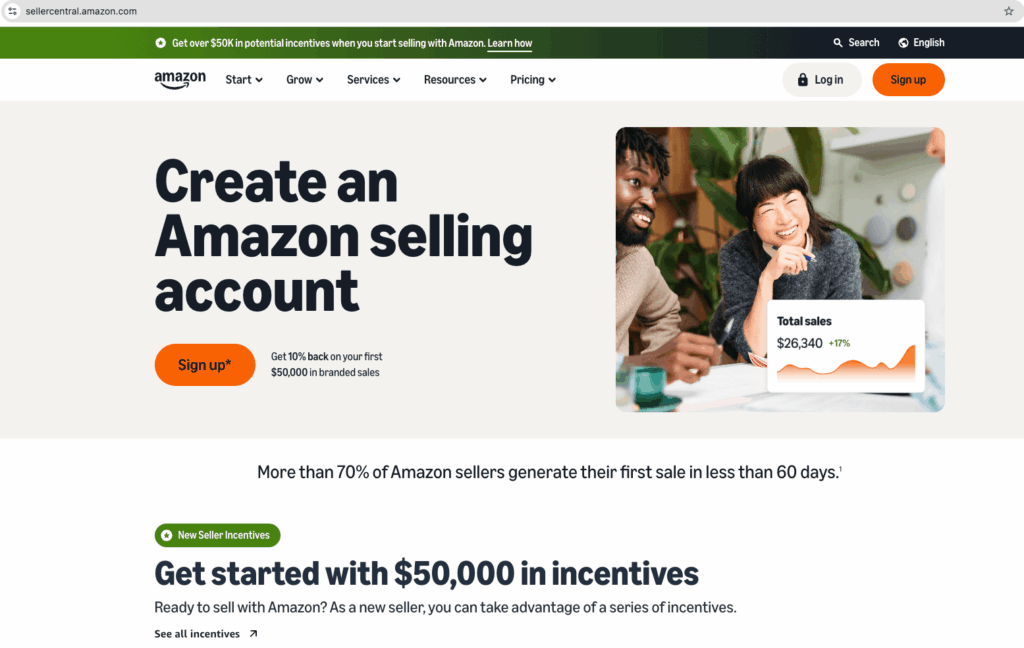
You’ll be asked whether you want to sell as:
- Individual seller (no monthly fee, per-item fees apply)
- Professional seller ($39.99/month, access to advanced tools)
If you plan to sell more than ~40 items per month, Professional almost always makes financial sense. Be careful when choosing amazon seller account types: Individual vs Professional (You can upgrade or downgrade later)
Step 2: Sign In or Create an Amazon Account
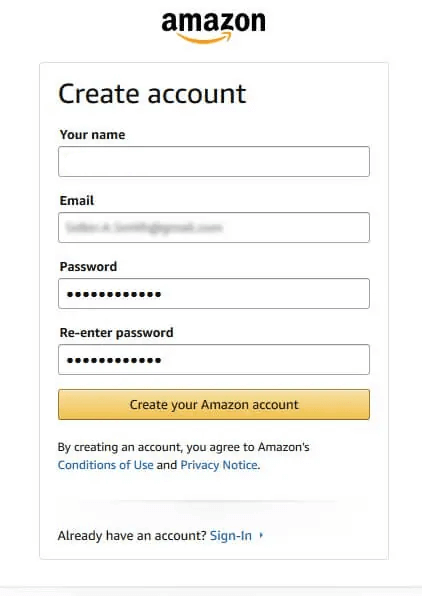
You can:
- Use an existing Amazon buyer account, or
- Create a new account dedicated to your business
Best practice:
SwanseaAirport strongly recommends using a separate email for your seller account to keep personal and business activity cleanly separated.
Step 3: Enter Business & Personal Information
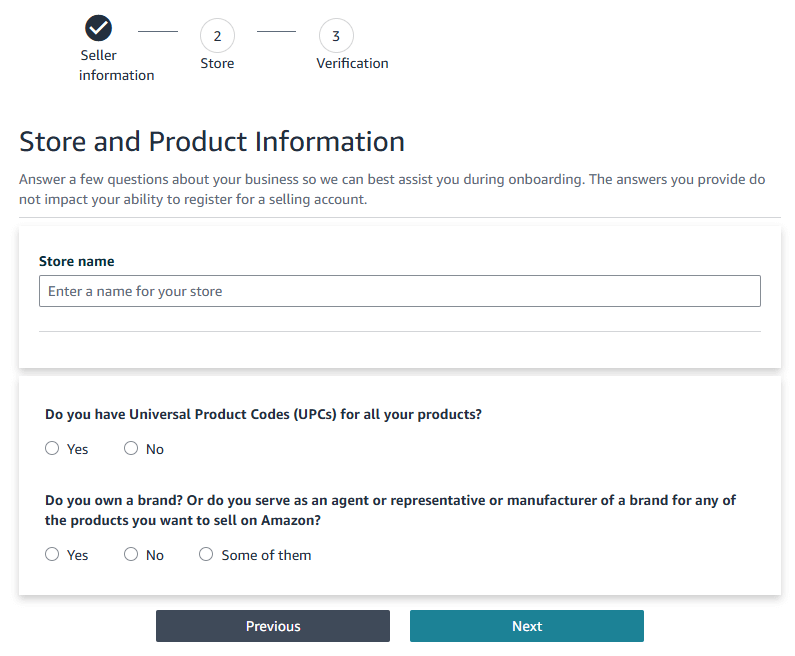
Amazon will ask for:
- Legal name (exactly as on your ID)
- Business address
- Date of birth
- Identity details (SSN or EIN)
This information is used for KYC (Know Your Customer) and tax compliance.
Do not guess or “clean up” details – accuracy matters more than presentation.
Step 4: Add Billing & Bank Information
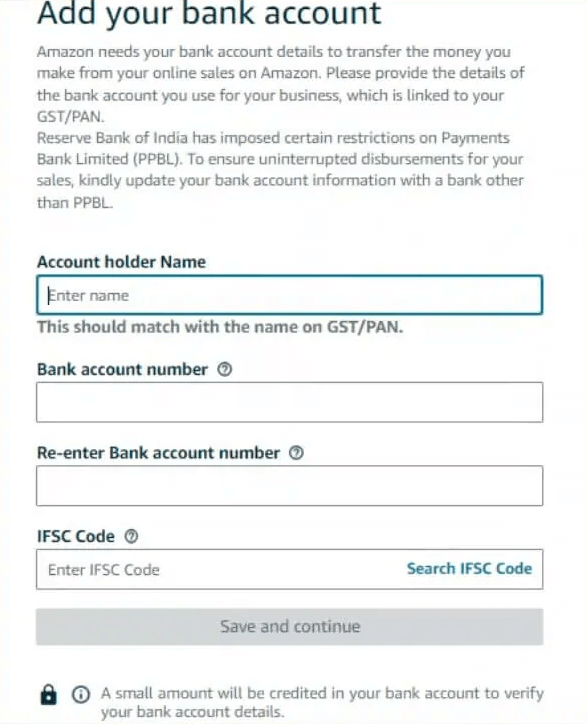
- Enter your credit card for subscription and selling fees
- Add your bank account for payouts
Amazon will later send a small test deposit to confirm your bank details.
Step 5: Identity Verification (Critical Step)
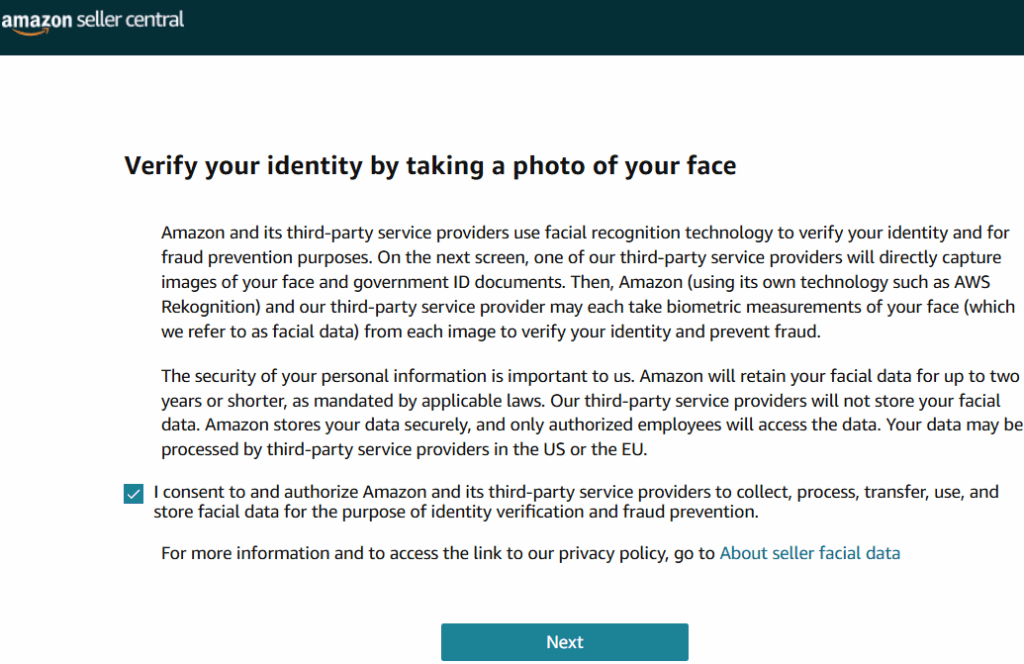
Most US sellers must complete identity verification, which may include:
- Uploading a government ID
- Live video verification call
- Address verification
Behind the scenes:
Amazon uses automated risk systems. Accounts that pass verification smoothly often get access to advanced features faster, including brand tools and advertising.
Step 6: Tax Interview (IRS Compliance)
Amazon requires sellers to complete a tax interview:
- Individuals: W-9 (US sellers)
- Businesses: EIN-based tax info
This determines:
- Tax reporting
- Backup withholding requirements
Incorrect tax info can delay payouts – don’t rush this step.
Step 7: Account Approval & Dashboard Access
Once approved, you’ll land inside Seller Central, where you can:
- Create product listings
- Choose Fulfillment by Amazon (FBA) or Fulfillment by Merchant (FBM)
- Set up shipping templates
- Enable advertising
Congratulations – you’re officially an Amazon seller.
With your Seller Central account active, your next steps are product research and validation. Start with our guides on evaluating product opportunities and launching successfully on Amazon.
Common Amazon Seller Central Signup Mistakes (And How to Avoid Them)
Based on SwanseaAirport’s analysis of hundreds of seller cases:
| Mistake | Why It Happens | How to Avoid |
|---|---|---|
| Address mismatch | Formatting differences | Copy exact address from bank statement |
| Failed ID verification | Blurry or expired ID | Use high-resolution scans |
| Bank rejected | Unsupported account | Use US-based checking accounts |
| Duplicate accounts | Personal + business confusion | One account per seller |
Many sellers get unwanted surprises because their product or business setup clashes with Amazon’s policies. Learn how to navigate Amazon’s restricted categories and gating requirements to avoid early hurdles.
Individual vs Professional Seller Account (Quick Comparison)
| Feature | Individual | Professional |
|---|---|---|
| Monthly fee | $0 | $39.99 |
| Per-item fee | $0.99/item | None |
| Buy Box eligibility | Limited | Yes |
| Advertising | No | Yes |
| Bulk listings | No | Yes |
For most serious sellers, Professional is the long-term choice.
Once your account is active, you’ll start seeing referral and fulfillment fees appear in your Seller Central dashboard. It helps to understand the full fee structure before you list your first item.
Why Trust This Guide?
This guide is written and reviewed by the SwanseaAirport editorial team, a digital commerce brand focused on:
- Amazon & Walmart marketplace education
- Seller tools and product data analysis
- Practical, real-world seller workflows
We don’t just summarize Amazon documentation – we test processes, analyze seller outcomes, and translate platform policies into actionable insights that help sellers avoid costly mistakes.
Final Thoughts
Creating an Amazon Seller Central account is more than a signup form – it’s the foundation of your entire Amazon business. When done correctly, it sets you up for smoother approvals, faster scaling, and fewer compliance headaches down the road.
At SwanseaAirport, our mission is to help sellers not just start, but succeed on Amazon and Walmart with clarity, confidence, and data-backed guidance.
Frequently Asked Questions